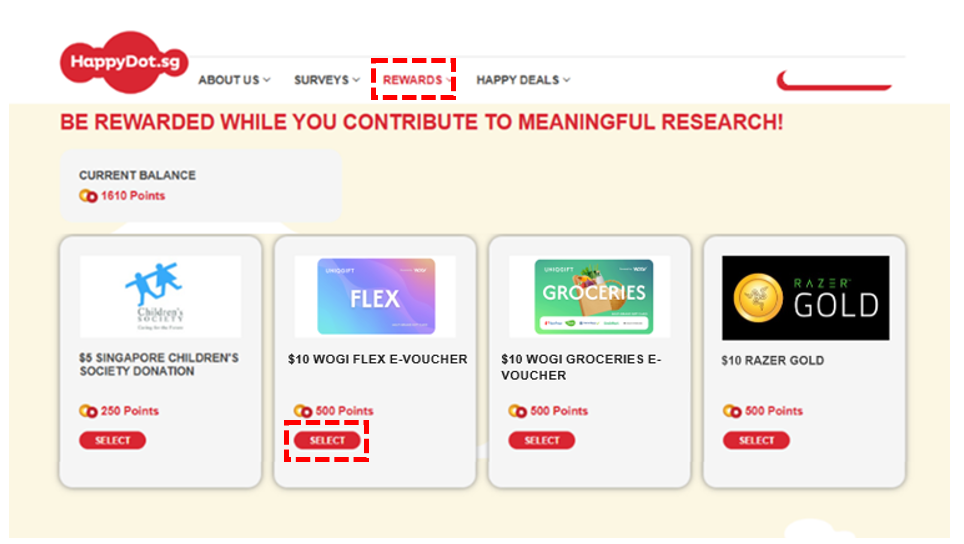
Simply tap the ‘Rewards’ tab to check out the available rewards we’ve got for you, and redeem it with your points!
1. Tap‘SELECT’ on the reward you want to claim.
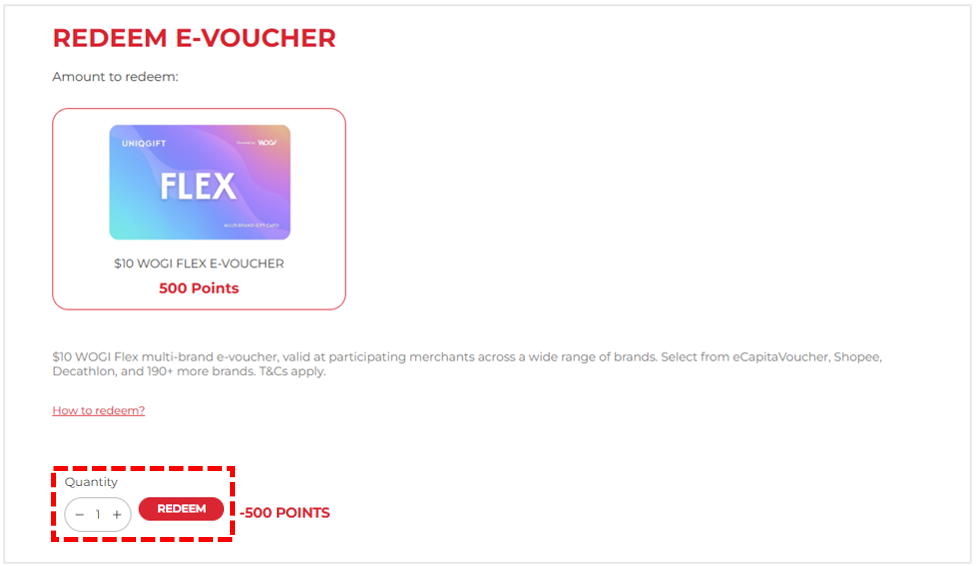
2. Click ‘REDEEM’ to proceed.
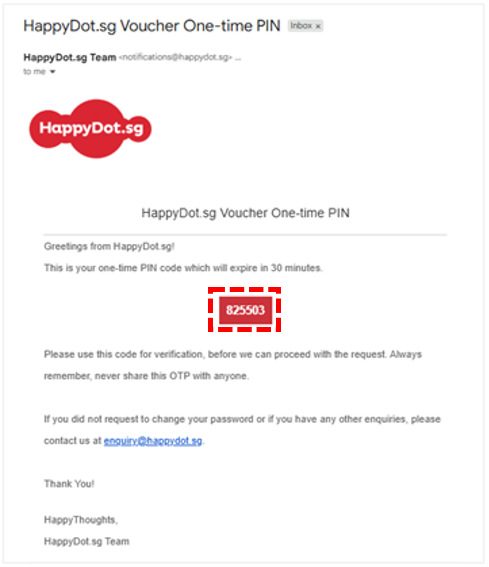
3. Check your inbox for email ‘HappyDot.sg Rewards One-time PIN’ for the 6-DIGIT PIN CODE and copy the 6-digit code.
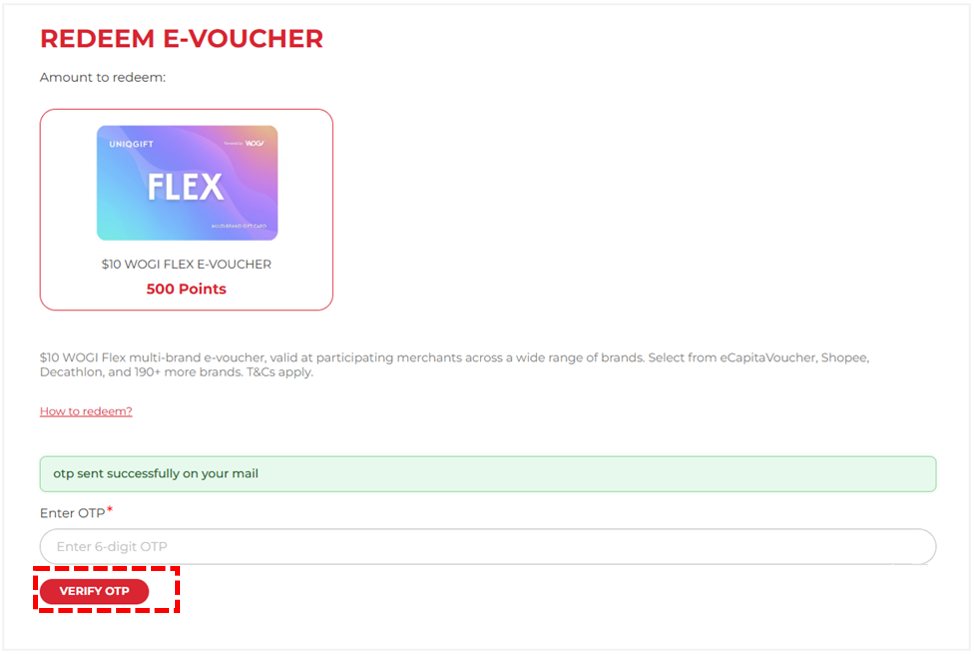
4. Paste into the Enter OTP field and tap ‘VERIFY OTP’ to confirm redemption.
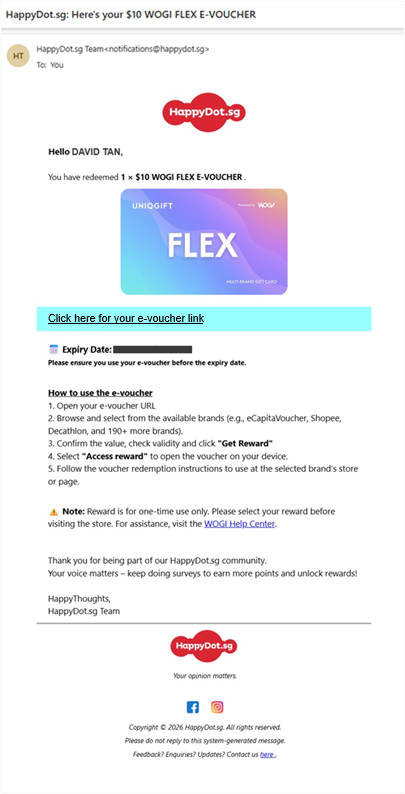
5. Upon successful redemption, HappyDot.sg will send a confirmation email ‘HappyDot.sg: Here’s your E-Voucher!’ to your email address containing your e-voucher link. Do check your inbox (including your spam/junk folder).
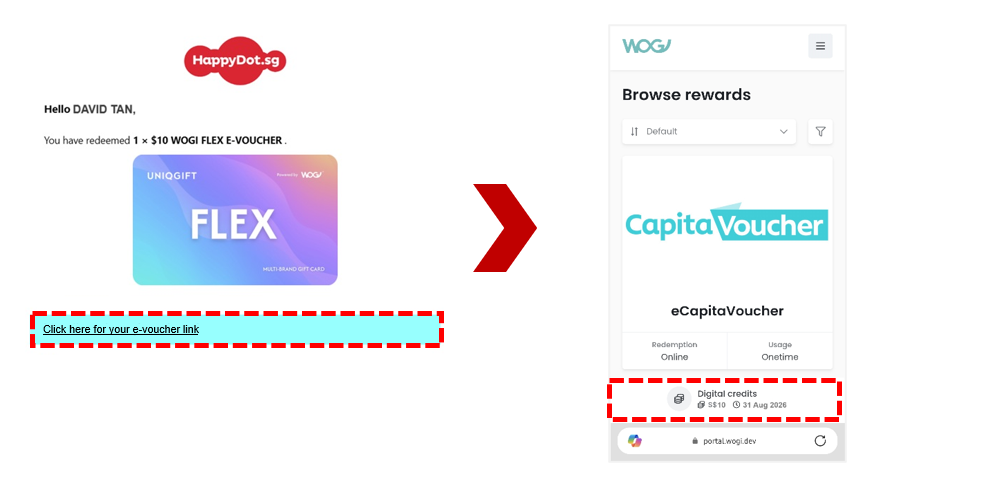
6. Access your e-voucher via the ‘Click here for your e-voucher link’. Browse and select from the available participating brands. Confirm your selection and follow the redemption instruction within to use.
If you encounter an error using your reward on WOGI’s platform, please reach out to WOGI customer support by sending an email to [email protected] for assistance.
How do I use my WOGI e-voucher reward?
You will receive your reward via email ‘HappyDot.sg: Here’s your E-Voucher!’ that will be sent upon successful redemption which will contain your WOGI e-voucher link.
Click on e-voucher link to open the WOGI e-voucher You will see your voucher balance and validity under “Digital credits”
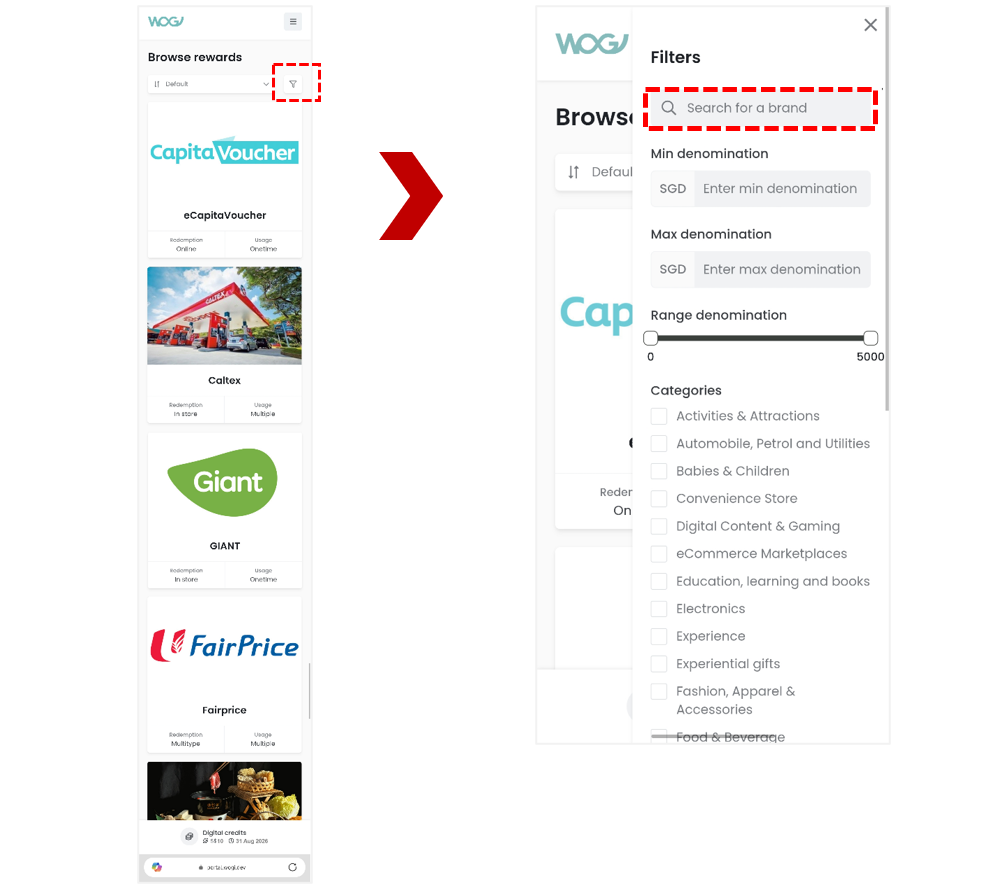
Browse through the available participating brands and select a brand of your choice Tap on the Filter icon to search for a brand
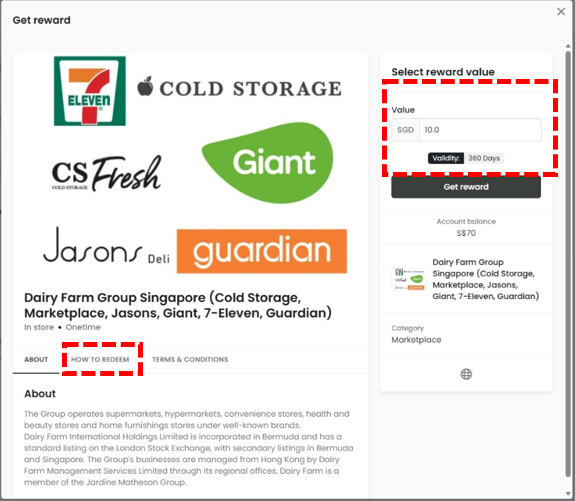
Tap ‘Get reward’ to make your selection when ready to redeem Take note of ‘How to Redeem’, check the validity and select Value Note validity may differ across brands.
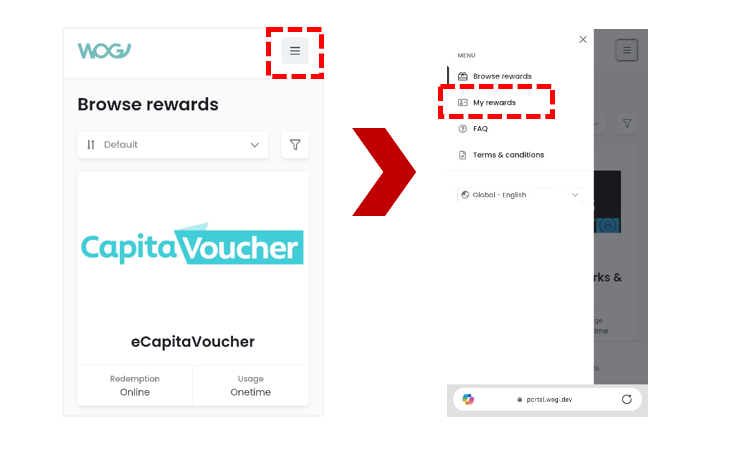
View your redeemed rewards in ‘My Rewards’ via the menu icon
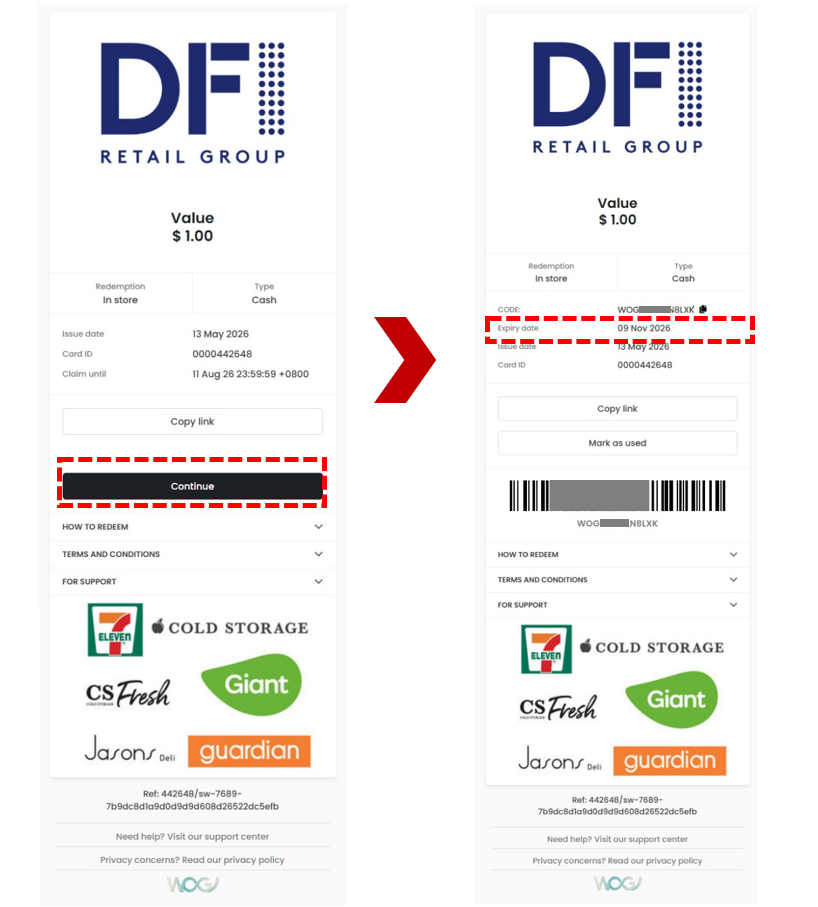
Click ‘Continue’ to get the voucher code/ QR/ barcode Please observe the expiry date and use the voucher before it expires
Tip: Tap on “Copy link” to save it in your device for easy retrieval
Images are for illustration purposes and information is correct as at the time of update.
If you encounter an error when redeeming your reward WOGI’s platform, please reach out to WOGI customer support by sending an email to [email protected] for assistance
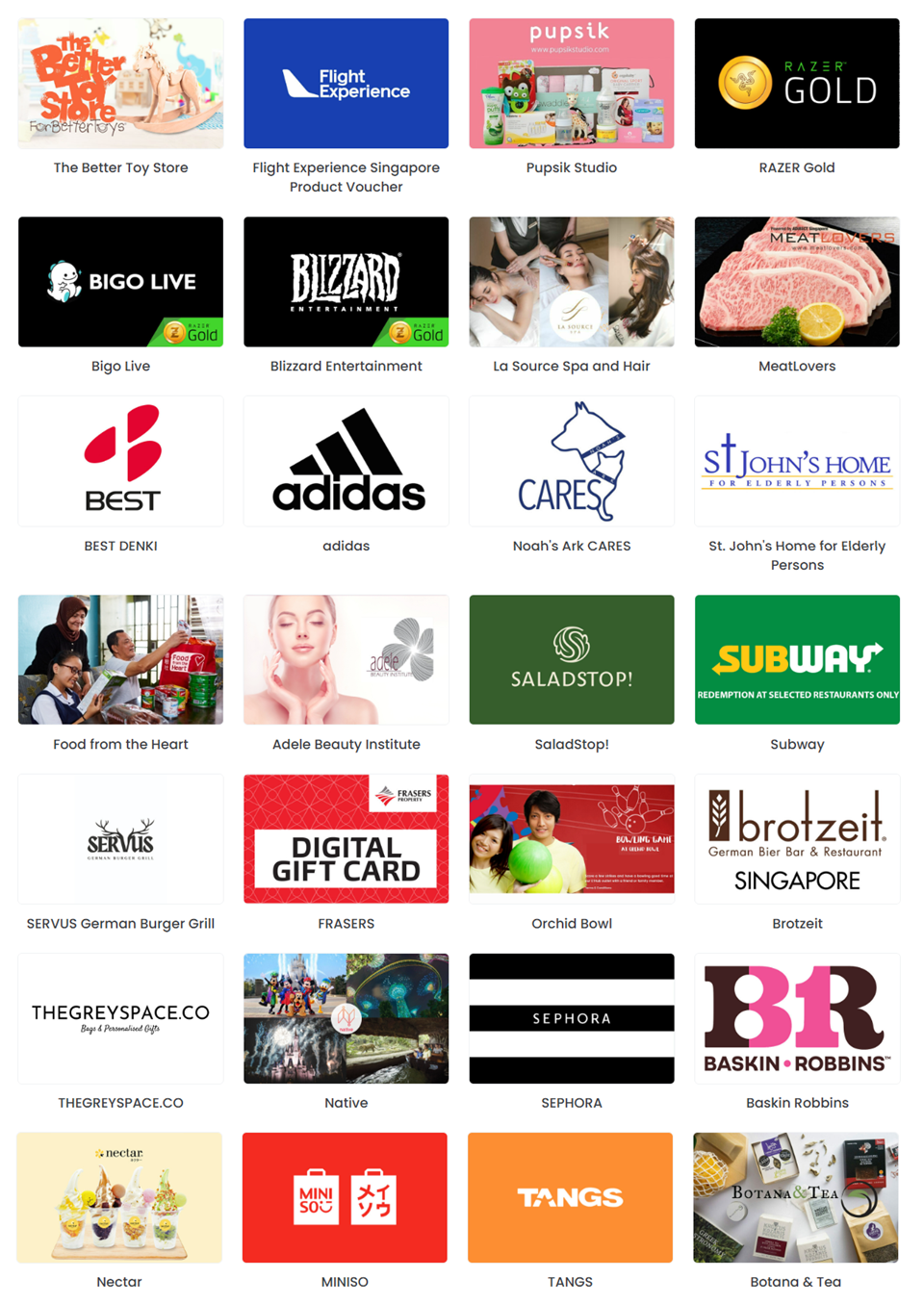
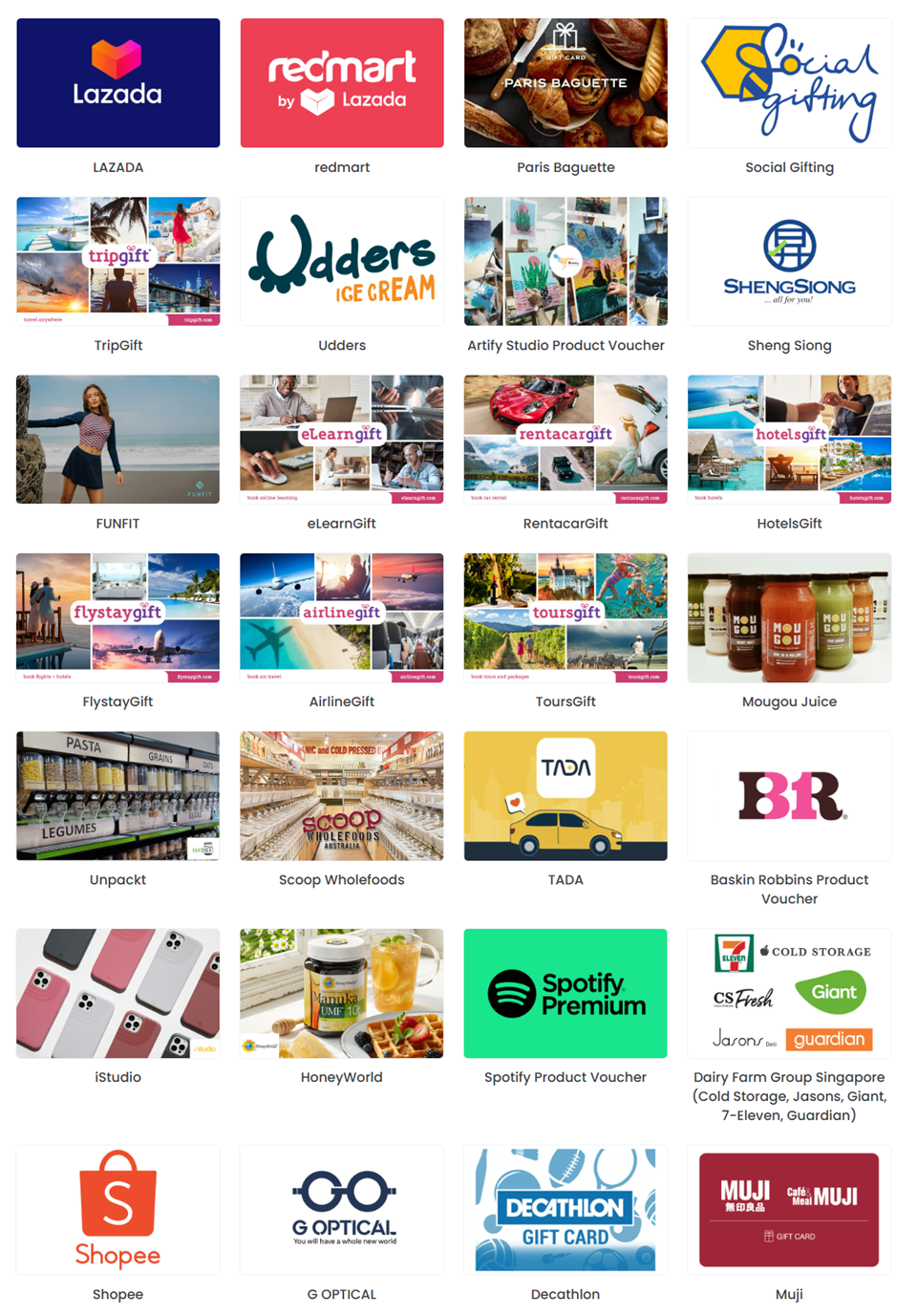
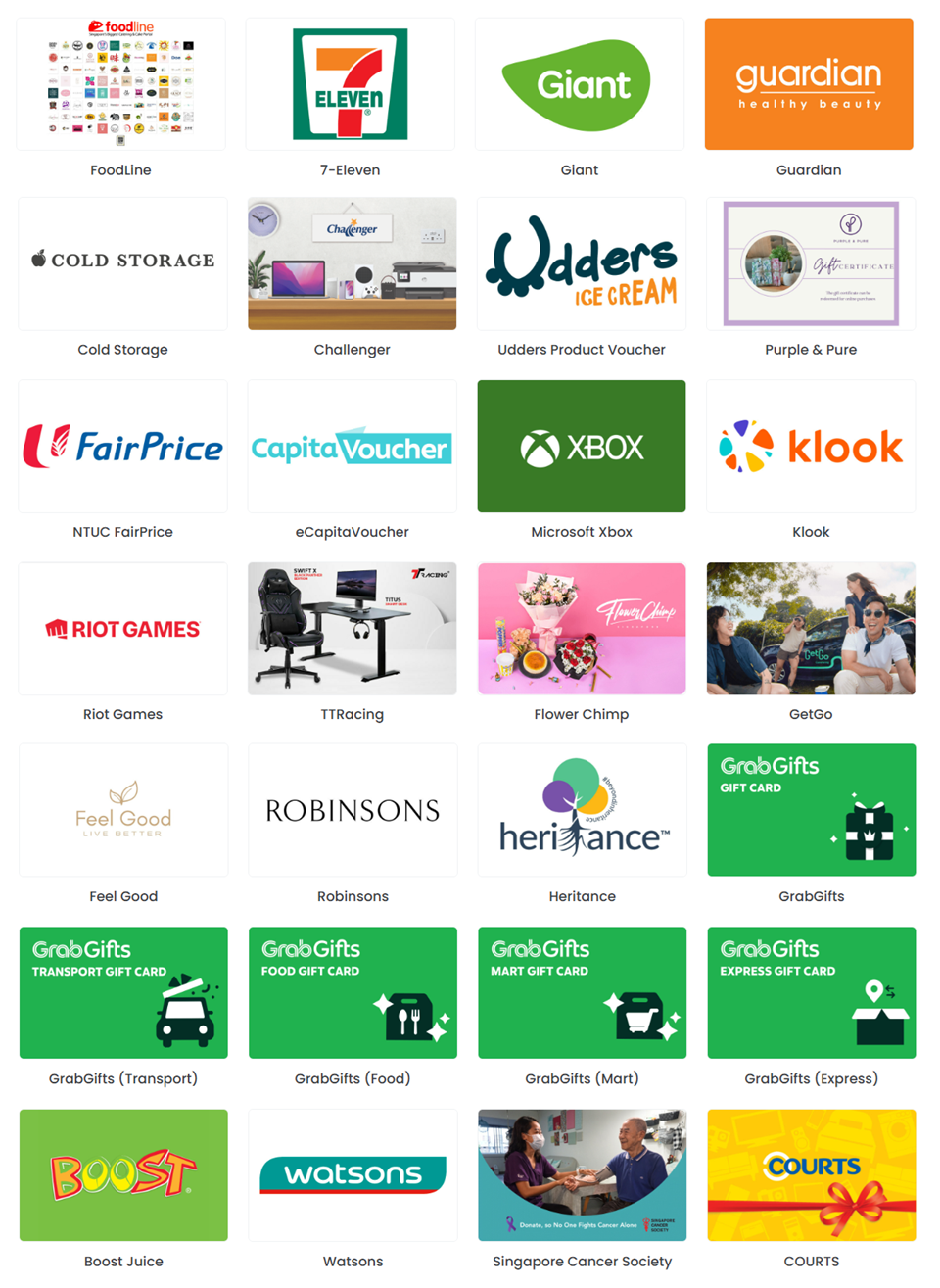
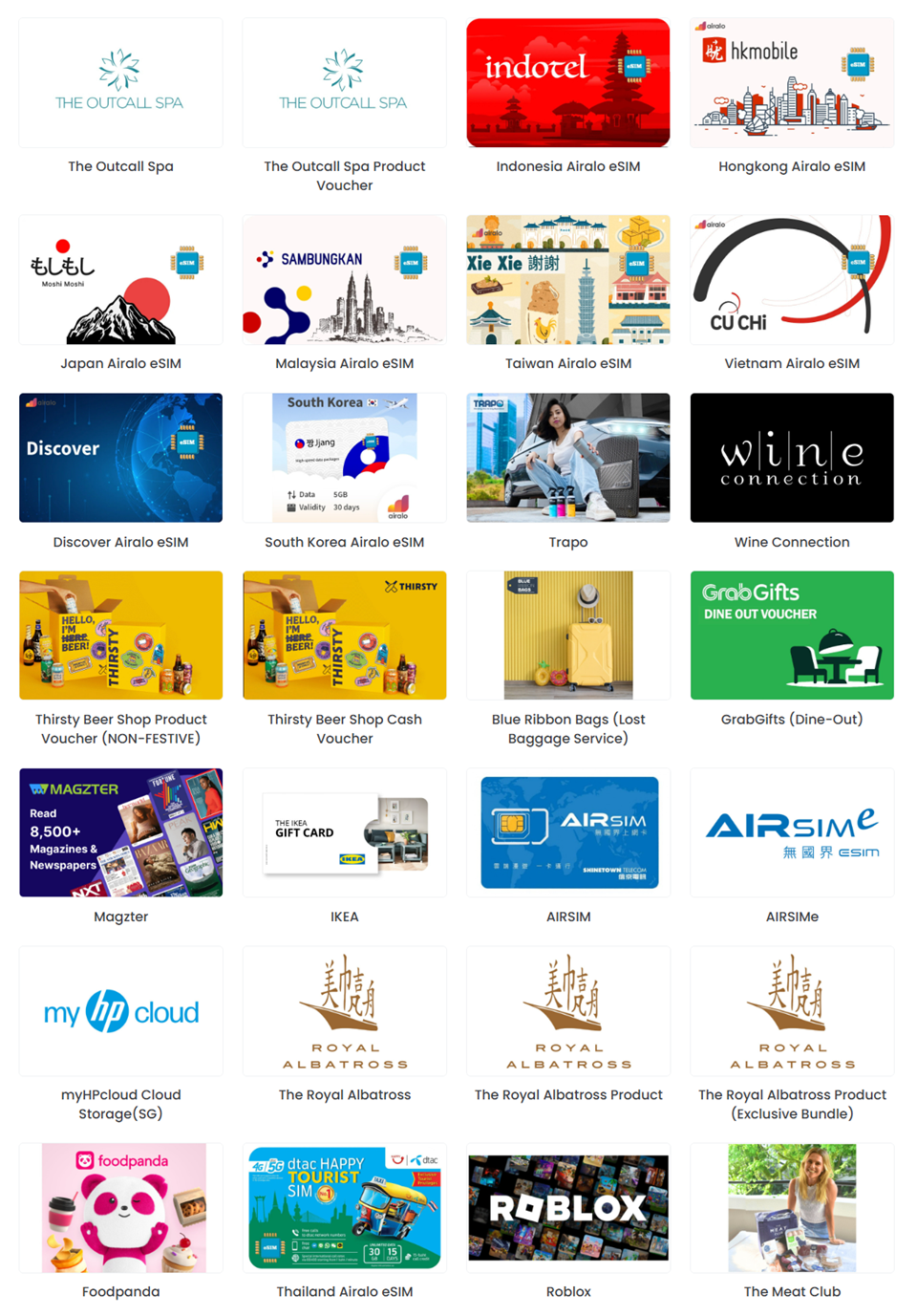
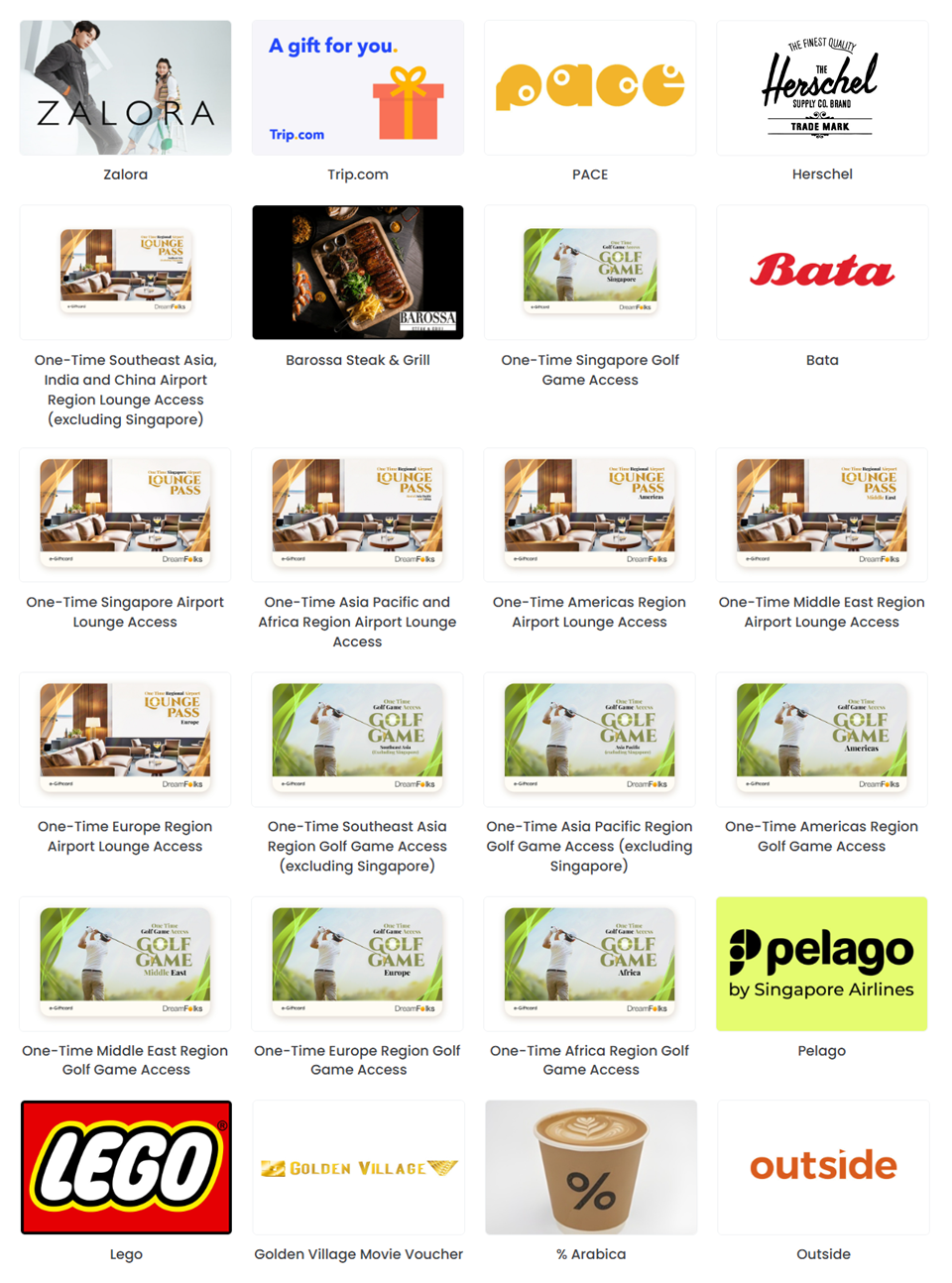
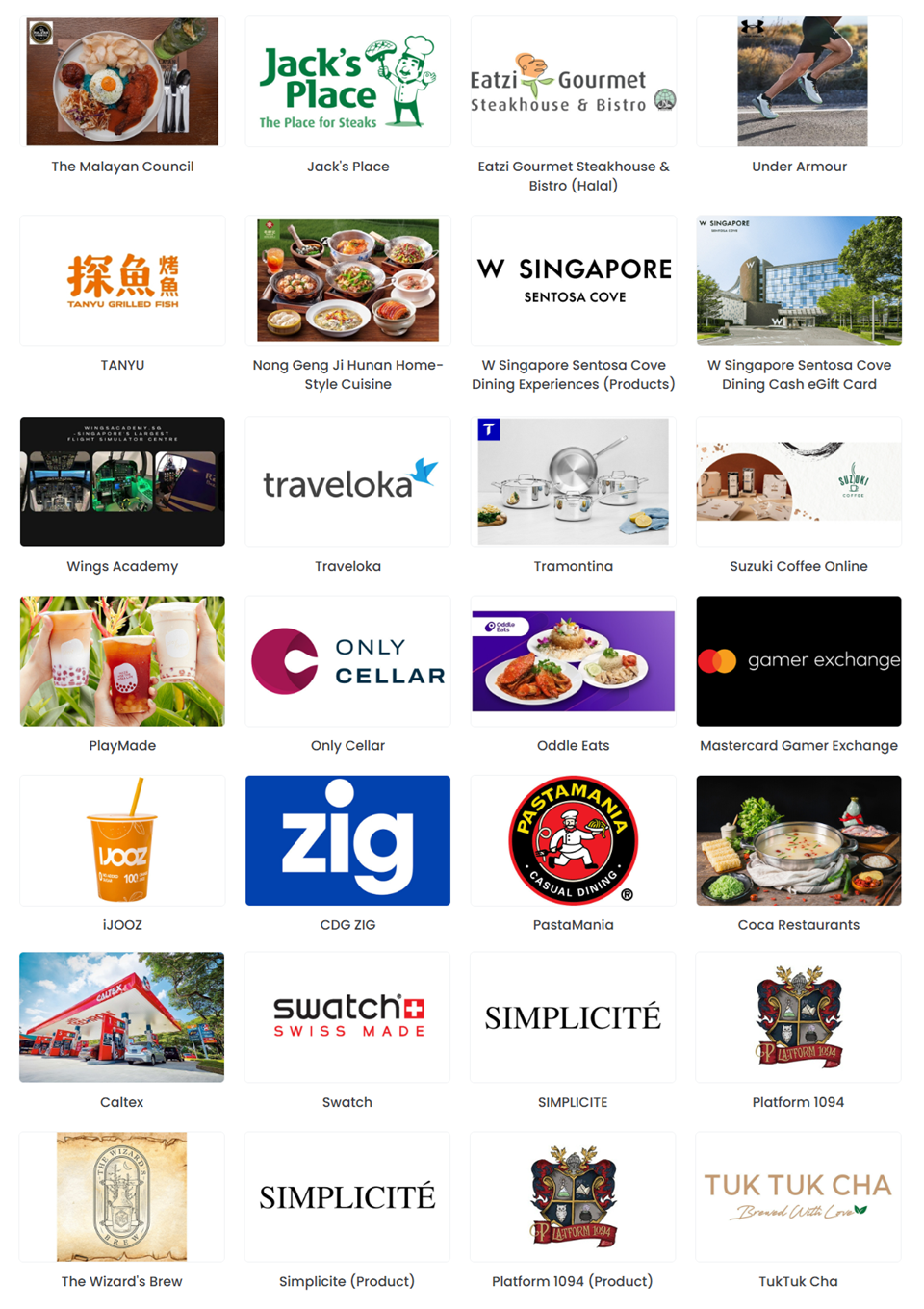
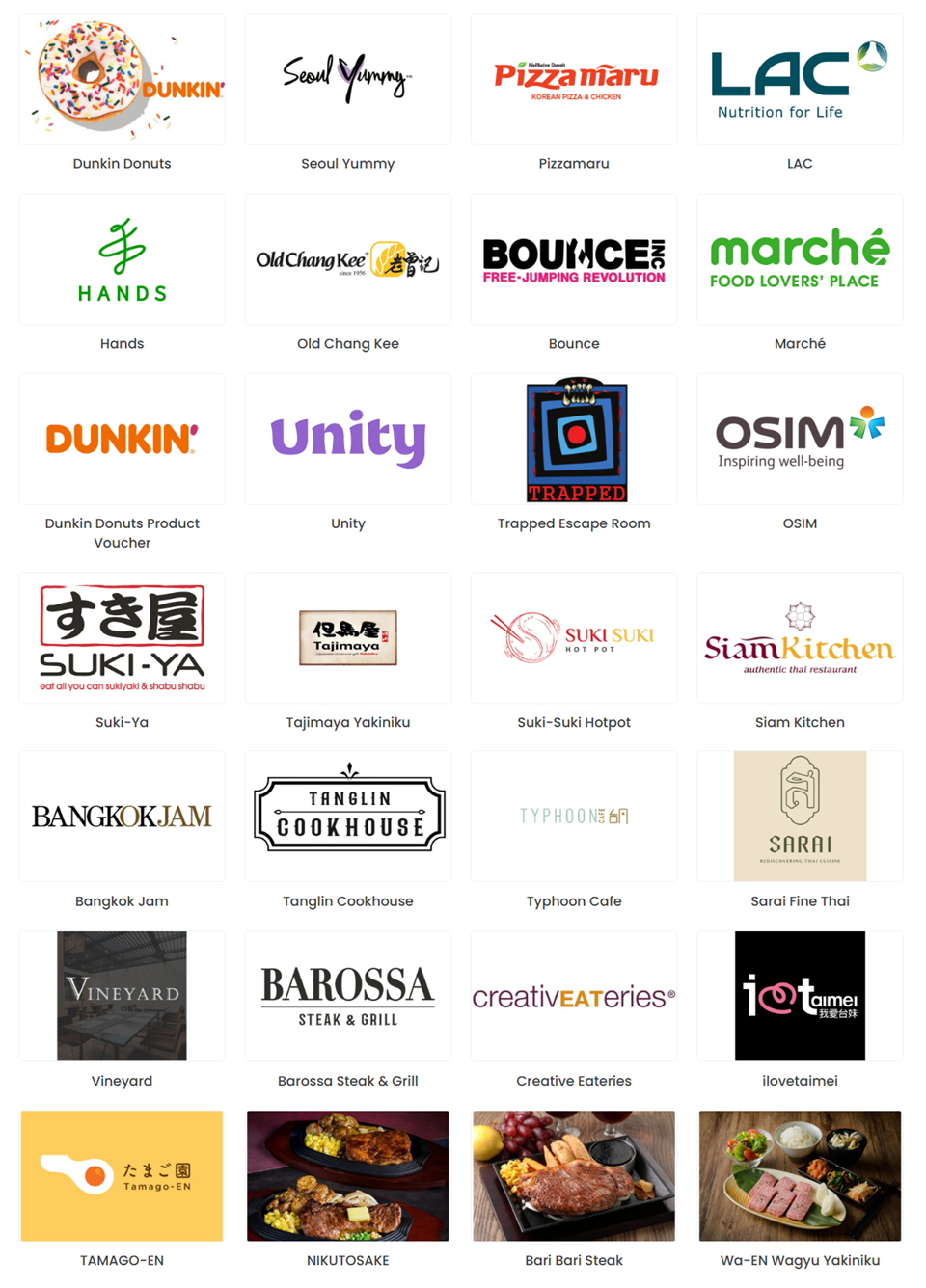
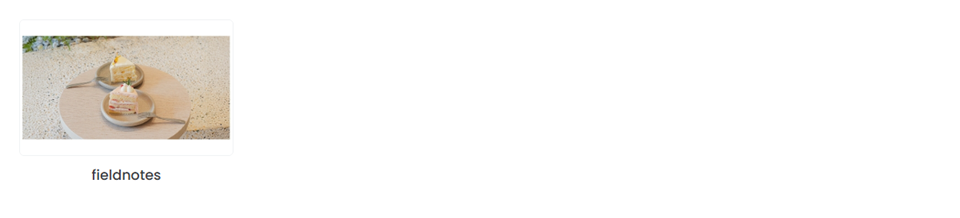
WOGI FLEX E-Voucher Participating Brands
Images are for illustration purposes and information is correct as at the time of update.
If you encounter an error using your reward on WOGI’s platform, please reach out to WOGI customer support by sending an email to [email protected] for assistance.